
Plan Designer
Introduction
Plan templates are designed on the Plan Designer page, and are used to populate default values for a payer plan.
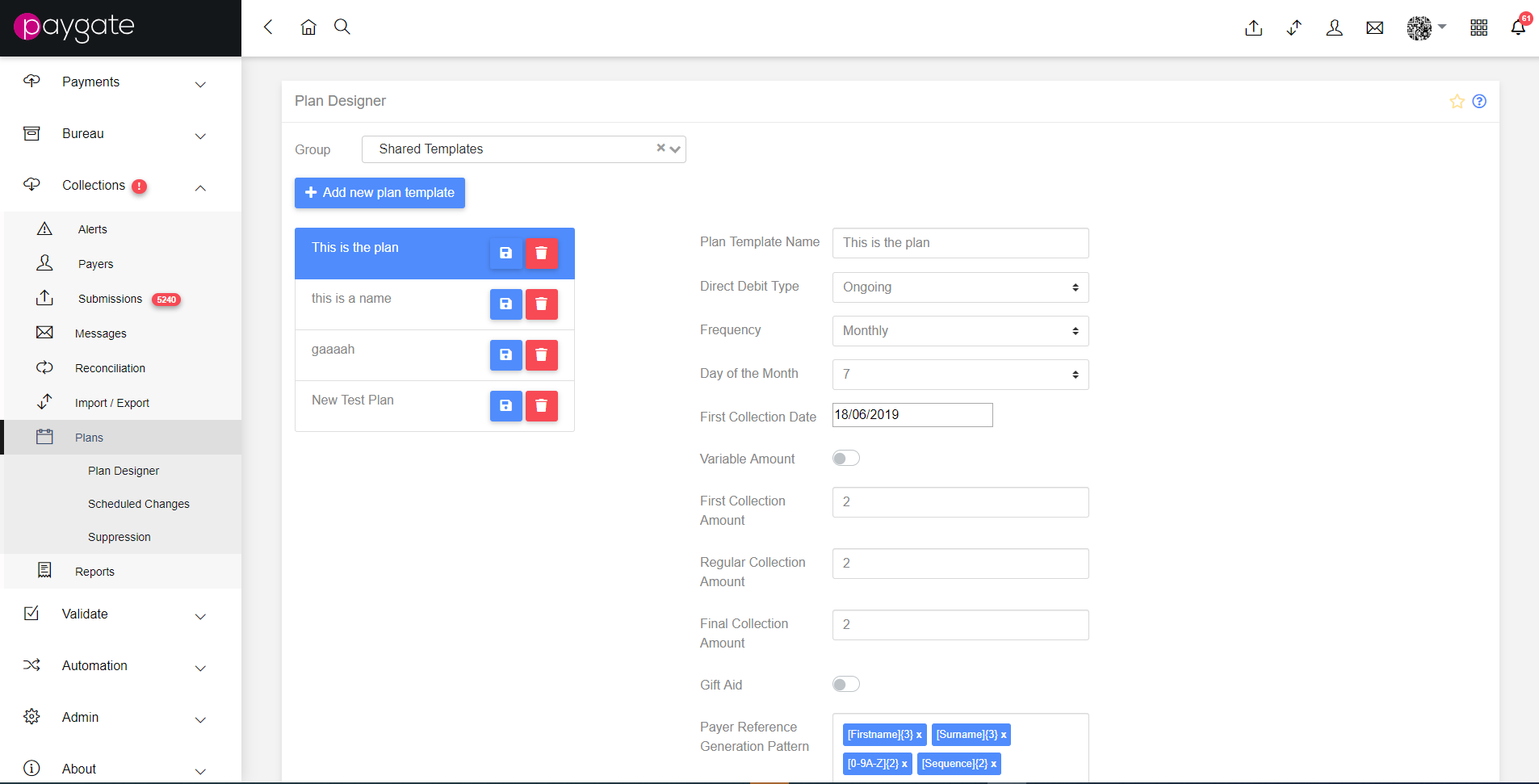
Switching between groups using the dropdown will display lists of available templates, which will display a form for each template containing the configurable data.
The fillable fields on the form vary depending on the end type of the Direct Debit. There are several fields shared between the different plan types, including the option to specify a plan specific Random Payer Reference, should one be needed.
Standard fields
- Plan Template Name: How this template will be referred to throughout the system.
- Bank Account (on Bureau enabled Customers) - The Bank Account that Collections are paid to.
- Contra Narrative (on Bureau enabled Customers) - The default Contra Narrative for Submissions based on this Plan Template.
- Indirect Service User Number (on Bureau enabled Customers) - the six digit number required to submit to BACS.
- Direct Debit Type: The criteria by which the payments happen, i.e. it is one off, it ends on a specified date etc.
- Frequency: Can be Weekly, Monthly, Yearly
- Day of Month/Week/Year (varies depending on frequency): the day upon which the collection occurs.
- First Collection Date: The date of the first collection
- First Collection Amount: The amount of money collected in the first payment (when required)
- Regular Collection Amount: The standard amount of money collected by the plan.
- Final Collection Amount: The amount of money taken in the final payment.
- Variable Amount: Indicates whether there is a set amount collected, or if it is left at 0 and updated with a non-regular value.
- Gift Aid: Indicates that plan includes Gift Aid
- Payer Reference Generation Pattern: the pattern needed for plan-specific payer references where configured (more details).
- Add Pattern (Type, Length): Input to add elements to the Payer Reference Generation Pattern.
- Generate API Key: Generates an API Key that can be used alongside the Hosted Onboarding Form.
- Allow Date Choice - Allows Onboarding Form users to specify when collections are made.
- Date Range Allowed - Specifies the number of days around the specified ordinal users can move their collection day by.
Specific Fields
Some direct debit types have specific fields that are only applicable to them. They are listed below along with an overview of the type.
One Off
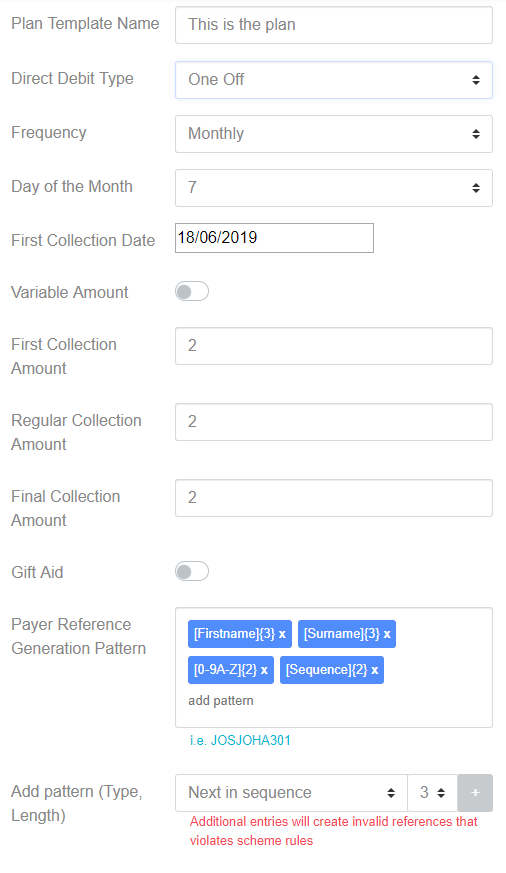
A one off plan is where only a single collection is required from the payer.
Until Date
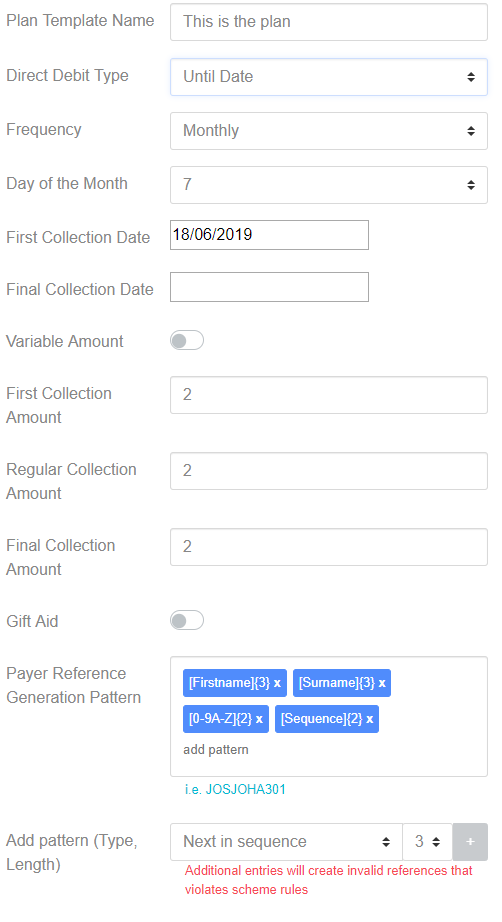
A Direct Debit type set to Until Date recurs until the specified date is reached.
- Final Collection Date - The date upon which the plan ends and a final payment is taken.
Until Number of Payments
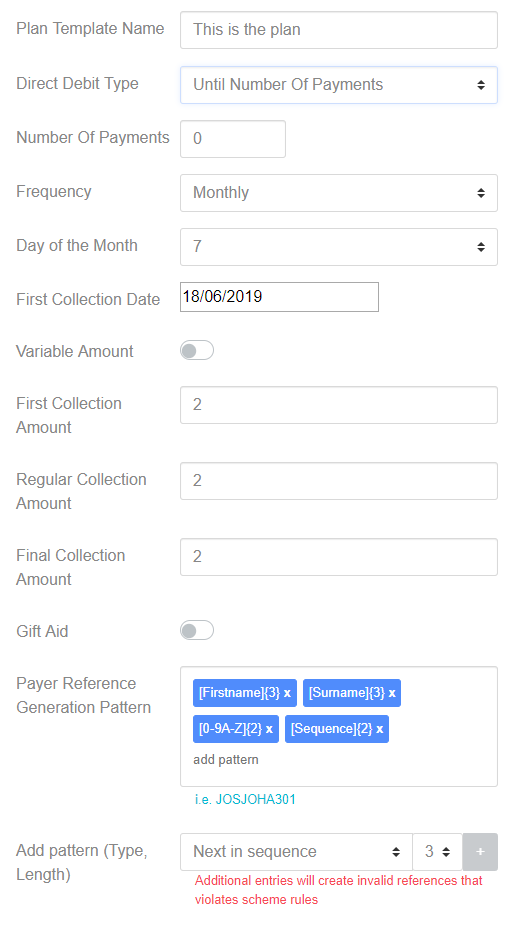
A Direct Debit set to “Until Number of Payments” continues until the specified number of payments have been reached.
- Number Of Payments - The total number of payments required before the final payment is taken and the plan ends.
Ongoing
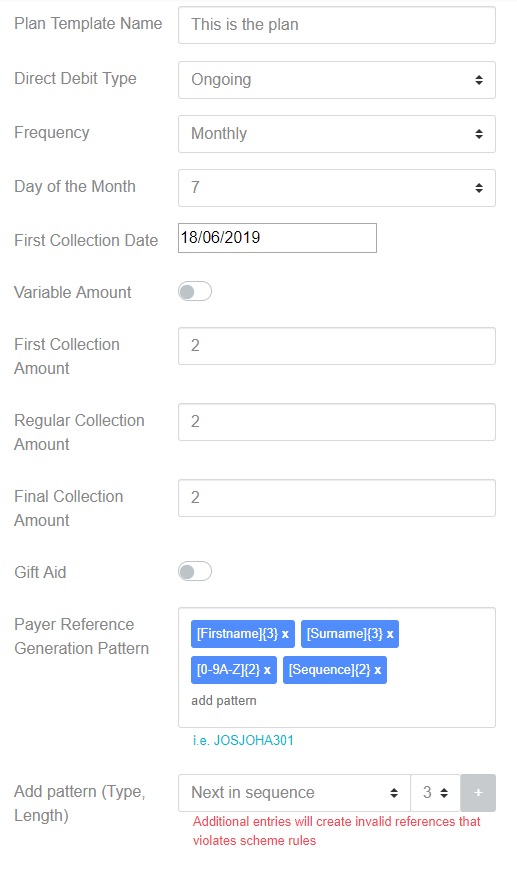
An Ongoing plan continues indefinitely, or until terminated by the customer or the payer.
Ad Hoc
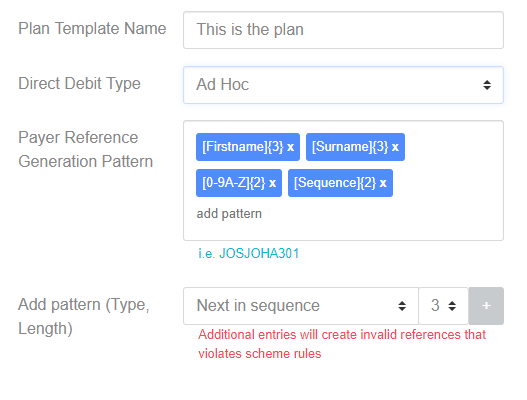
An Ad Hoc plan schedules payments when requested, and as such has no timing component associated with it. An Ad Hoc plan remains active until it is requested to be closed or a time span of more than thirteen months occurs between collections (as per the Direct Debit Scheme Rules).