
Orphaned Submission Reporting
Overview
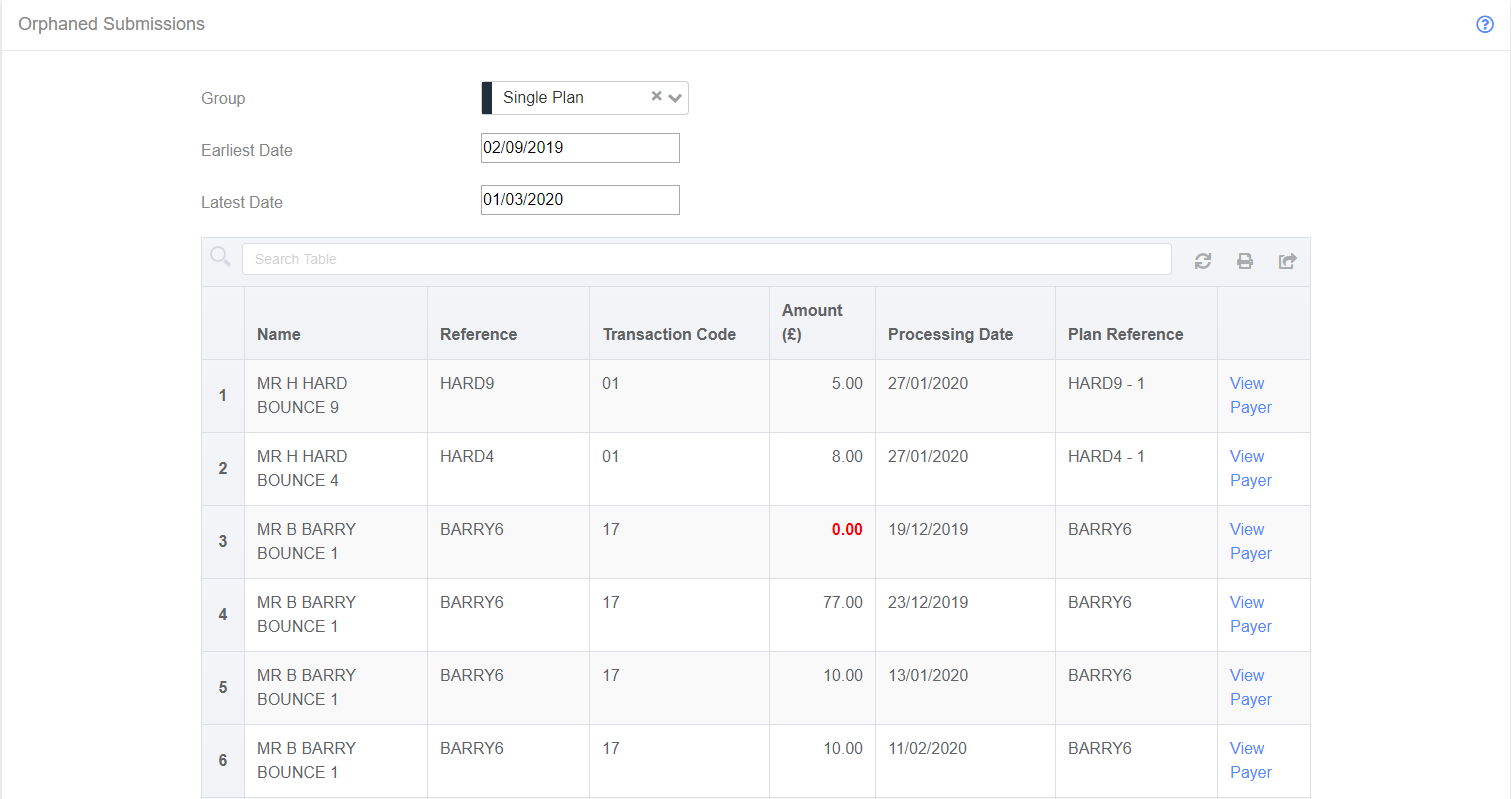
Orphaned Submissions are submissions that are due, but have moved outside the submission window (which is two business days after the planned processing date). The Orphaned Submission report allows the user to check which groups have orphaned submissions, and also allows the user to edit the submission, adding a new processing date so the collection can occur.
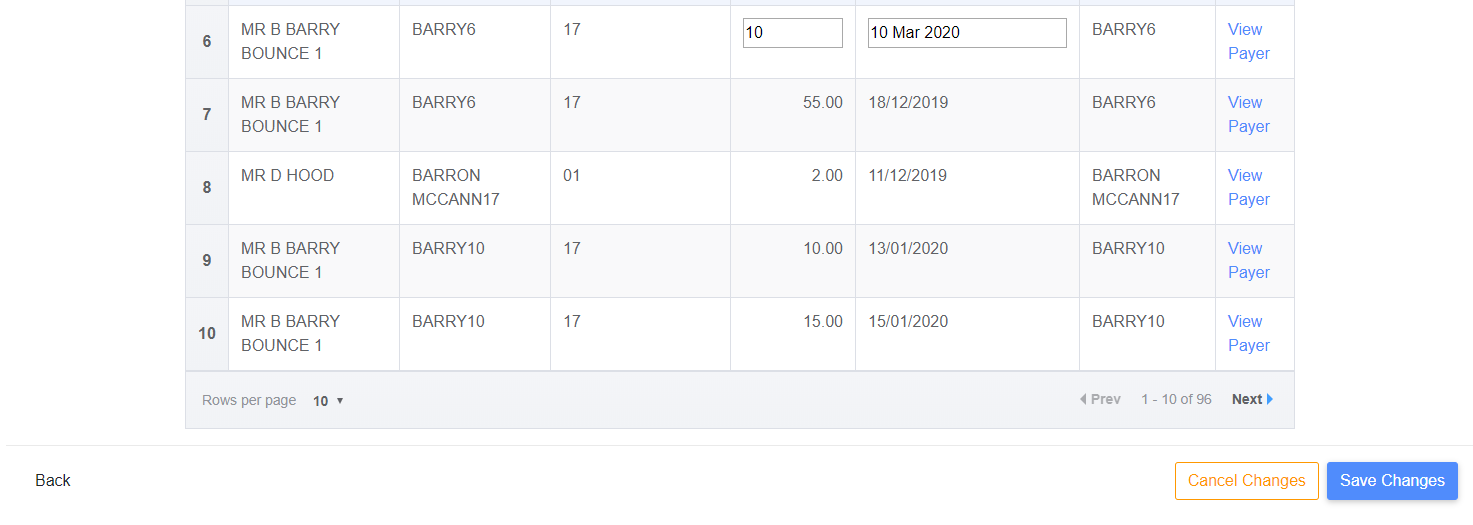
To put a row into edit mode, click on it, and it will switch the amount and date field so they are editable. Once a value has been changed, the “Save Changes” and “Cancel Changes” buttons will become visible, allowing the changes to be saved.