
Scheduled Plan Changes
Introduction
Individual Plan Templates can have any future changes required to them, such as price changes due to inflation scheduled to be applied through the Scheduled Changes page.
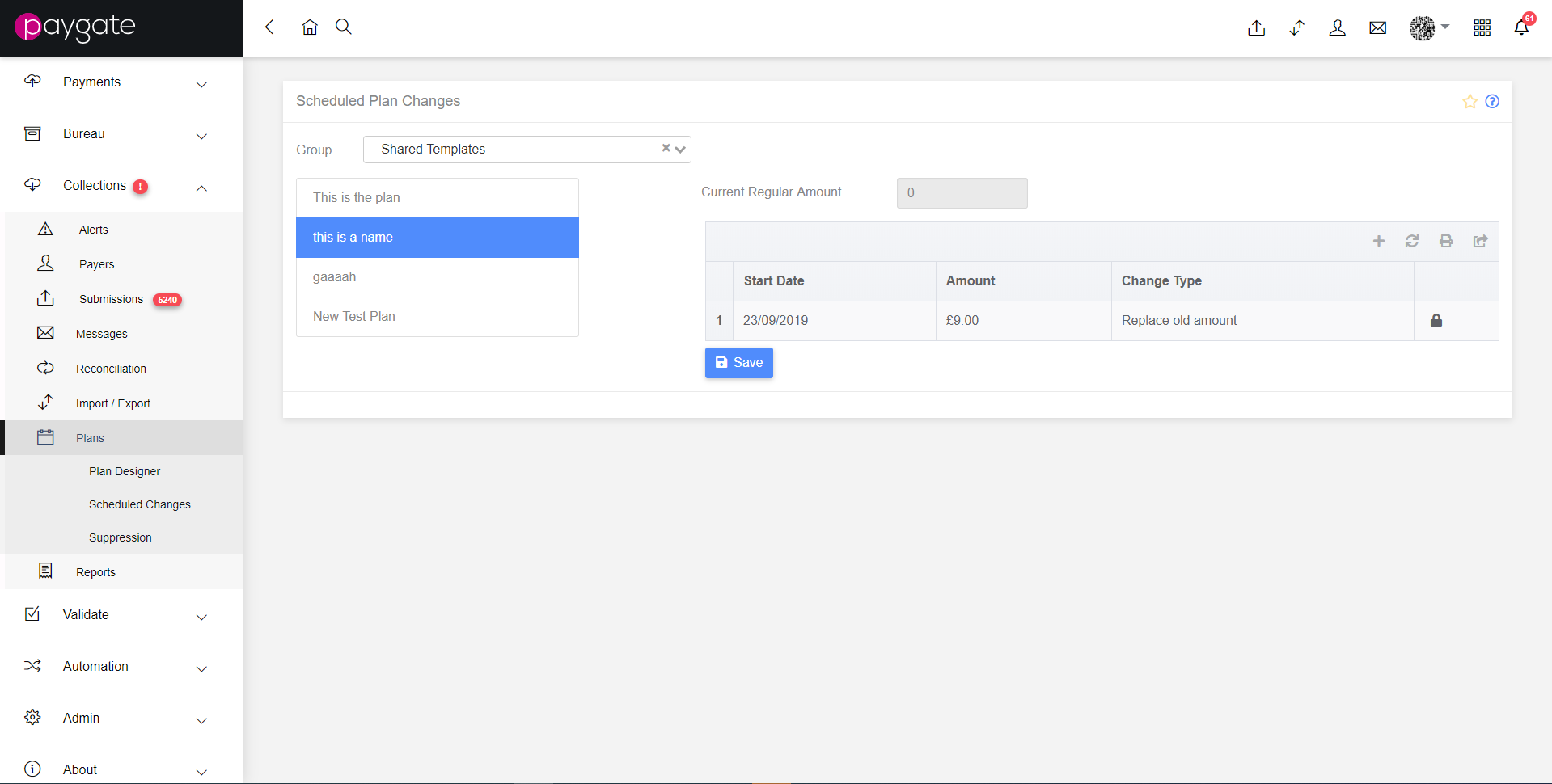
Switching between groups will display lists of available templates, and the displayed table will display the available planned changes to that schedule. The table has four fields:
- Start Date - The date upon which the scheduled change will be applied
- Amount - This is the amount the collection value will change by, it will be presented as either a number or a percentage, dependent on the change type specified.
- Change Type - This is the type of Regular Amount change specified:
- Replace Old Amount - replaces the existing value entirely.
- Numeric Change - Increments or decrements the current value based on a set number
- Percentage Change - Increments or decrements the current value based on a percentage.
- A blank field indicating whether the change is locked, a closed padlock indicates that the record is locked.
New changes can be added by clicking on the ‘+’ icon at the top of the table.
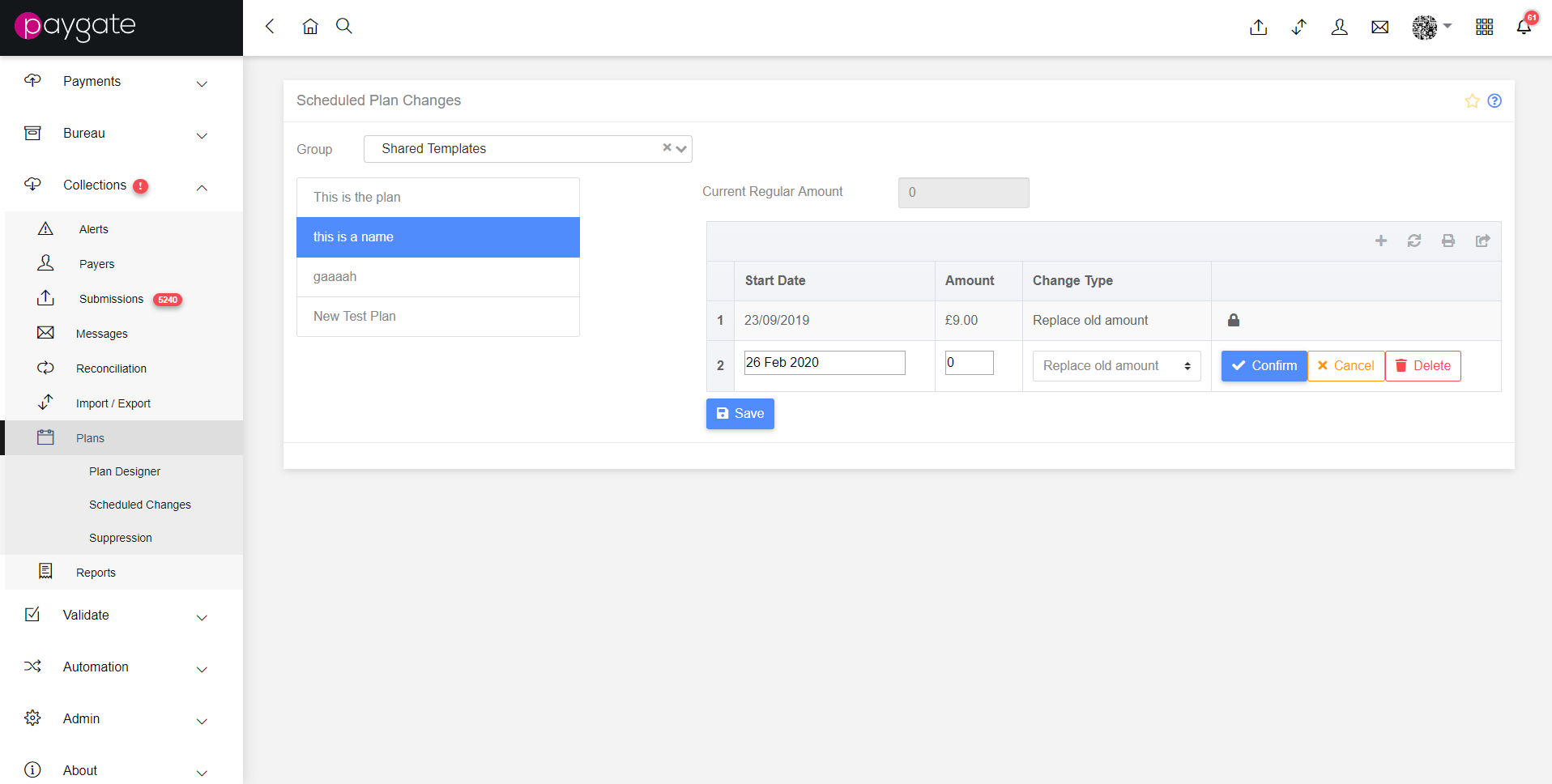
The lock column contains action buttons in this state, there are three, confirm, cancel and delete.
Changes are committed to the system by clicking the “Save” button beneath the table.